301 vs 302 redirects explained
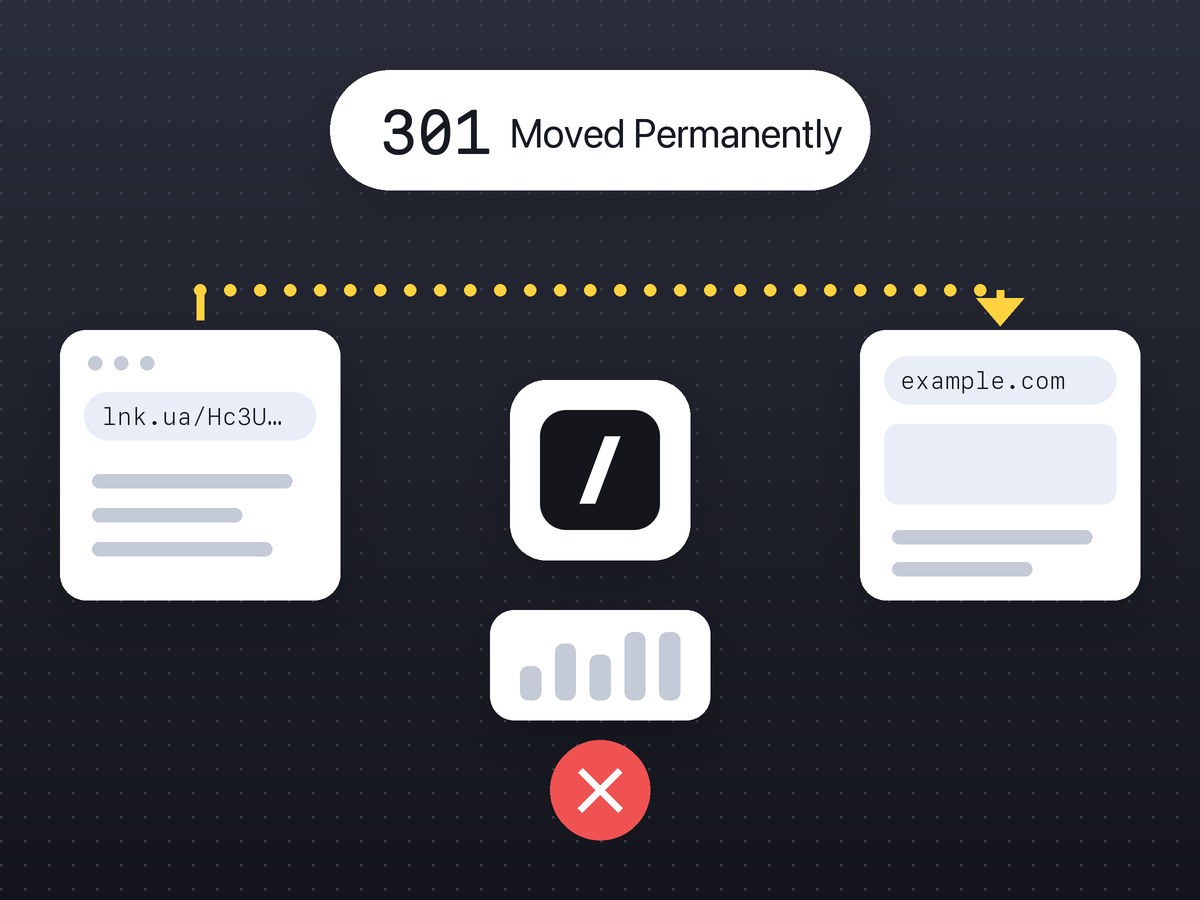
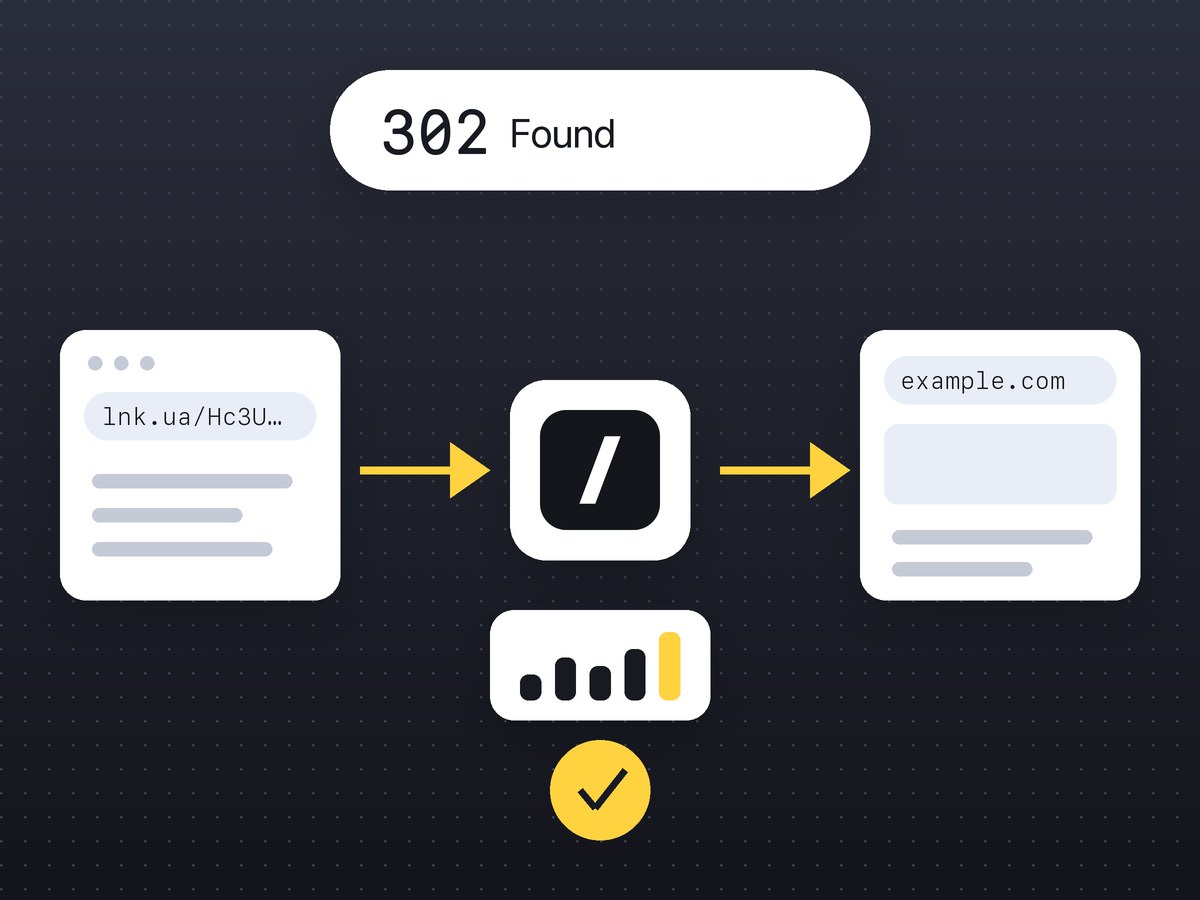
A 301 tells the browser the address has moved for good, and the browser may remember that. A 302 is a temporary hop the browser checks with the server every time, which is why lnk.ua short links answer with a 302.
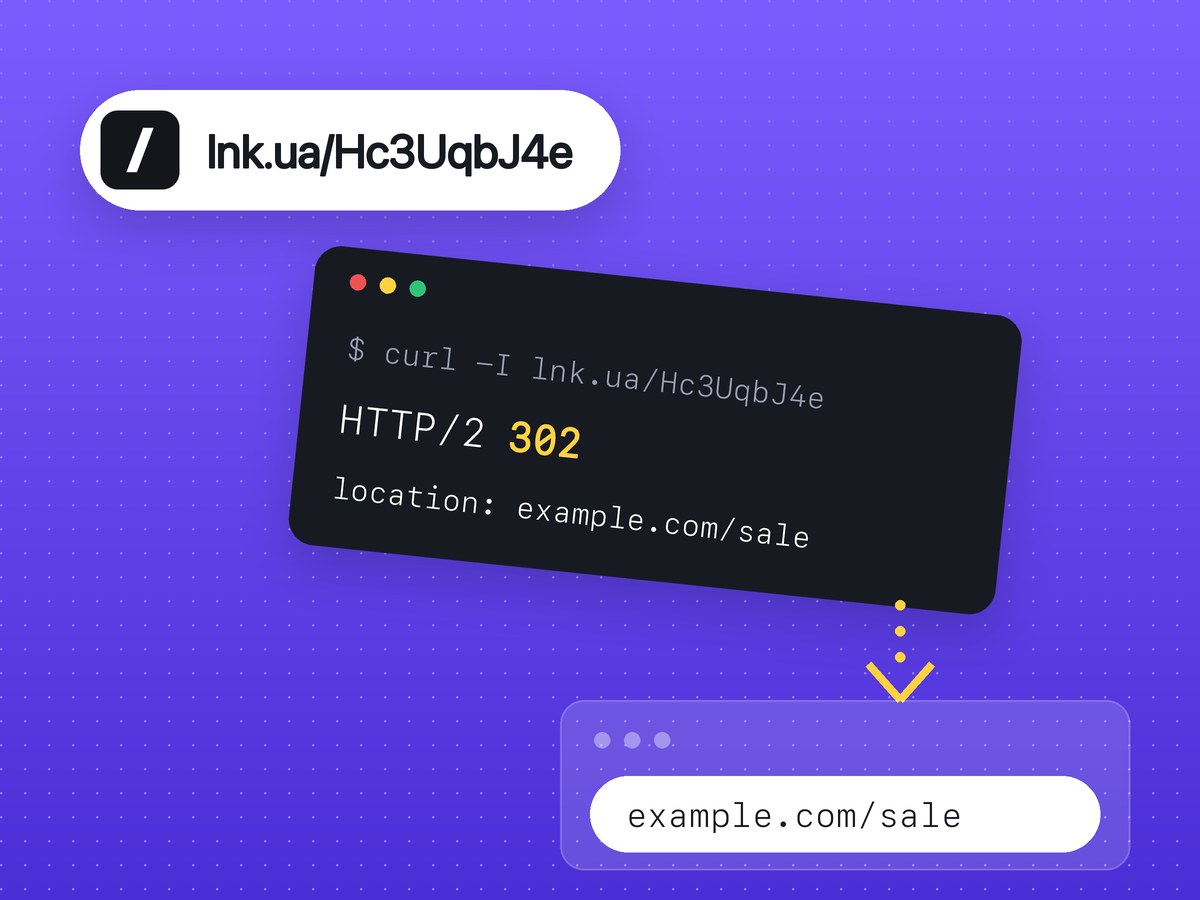
A redirect is the server saying "nothing lives here, go to this other address". It answers with a 3xx status code and a Location header, the browser follows it on its own, and the visitor at most notices a different URL in the address bar. Every short link is a redirect: the service receives a request for lnk.ua/Hc3UqbJ4e and tells the browser where to go next.
There are several redirect codes and they are not interchangeable. The code decides whether the browser remembers the hop, which URL Google shows in results, and whether a POST request keeps its form data.
301 vs 302 vs 307 vs 308
The meaning of each code comes from the HTTP specification (RFC 9110). How Google Search treats them is described in Google's Search Central documentation. In short:
| Code | Browser cache | POST method | |
|---|---|---|---|
| 301, permanent | may be stored with no cache headers | may turn into GET | treats the target as canonical |
| 302, temporary | only if the server's headers allow it | may turn into GET | keeps showing the source URL |
| 307, temporary | only if the server's headers allow it | kept as is | same as 302 |
| 308, permanent | may be stored with no cache headers | kept as is | same as 301 |
Read it as two pairs. 301 (Moved Permanently) and 308 (Permanent Redirect) mean "for good", 302 (Found) and 307 (Temporary Redirect) mean "for now". The newer 307 and 308 exist because 301 and 302 let a browser switch a POST to a GET, so a submitted form can arrive at the new address without its data. For ordinary links that people click, you will not notice any difference between 302 and 307.
What "may be stored" means in practice
RFC 9110 lets a cache reuse a 301 even when the server sent no caching headers at all. A browser that has seen a 301 once may skip the server next time and go straight to the target. If you later change the redirect, everyone who already followed it can keep landing on the old target until they clear their cache. A 302 is not stored unless the server explicitly allows it, so the browser asks again on every visit.
Which redirect to use on your site
- The page has moved for good: a new domain, a new URL structure, http to https. Use 301. Google takes it as a signal that the new URL is canonical and will show that one in results over time.
- The move is temporary: a one-week promotion, a section under maintenance, an A/B test. Use 302, and the old URL stays in results.
- The address receives forms or API calls sent with POST. Use 308 for a permanent move and 307 for a temporary one, so the method and request body survive.
Redirects can also be done with meta refresh or JavaScript. Google recommends JavaScript only when a server-side redirect is impossible, because the page has to be rendered first and rendering can fail. An instant meta refresh counts as a permanent redirect for Google, a delayed one as temporary.
How an lnk.ua short link works
A short link is the domain plus a nine-character code. When someone opens lnk.ua/Hc3UqbJ4e, their browser asks the lnk.ua server. The server looks up the long URL, records the click and answers with a 302 and a Location header.
Why 302 and not 301? Because a browser may remember a 301. The next click from that browser would then go straight to the destination, bypassing lnk.ua, with two results:
- the click never reaches the statistics, because the server never sees it;
- if the destination site is blocked after a fraud report, a browser holding the cached 301 keeps opening it.
With a 302 every click passes through lnk.ua, so clicks are counted and blocking a harmful site applies to everyone who opens the link.
Other answers a short link can give:
| Situation | Code |
|---|---|
| the link works | 302 with the target in Location |
| the link was deleted or never existed | 404 |
| the destination domain was blocked after a report was reviewed | 410 and a warning page |
| the destination domain was reported and is under review | 200 and a warning page with a "continue" button |
Some Free links open an intermediate lnk.ua page before the hop. In that case the server answers 200 and the browser redirects a few seconds later. What Free and PRO include is listed on the pricing page.
Does a short link pass SEO value?
Do not count on it: shortening a URL does nothing for your rankings. Google's documentation on redirects says nothing about redirects adding value to a page. What it does say is that a permanent redirect is a signal about which URL to treat as canonical, and a temporary one is not.
lnk.ua responses carry X-Robots-Tag: noindex, nofollow, which asks search engines not to index the short URL itself. The practical rule follows from that. Use short links where you need to count clicks or where a long URL gets in the way: SMS, stories, print, chat apps. On your own site, in articles and anywhere you want a search engine to see the page itself, link to the full URL.
How to check which redirect a link returns
curl in a terminal
The -I flag asks for headers only, so the page itself is not downloaded:
$ curl -I https://lnk.ua/Hc3UqbJ4e
HTTP/2 302
location: https://example.com/spring-sale?utm_source=newsletter
x-robots-tag: noindex, nofollow
The first line is the status code, location is where the hop leads. To follow the whole chain, add -L: curl -sIL https://lnk.ua/Hc3UqbJ4e prints the headers of every step in turn.
Browser DevTools
Open developer tools (F12), go to the Network tab, tick Preserve log and open the link. The first row shows status 301, 302, 307 or 308, and the Headers tab shows Location. Without Preserve log the list is cleared when the new page loads and the redirect disappears from view.
Online, no terminal
If a link looks suspicious and you would rather not open it, paste it into the redirect checker for short links. It follows the redirects for you and shows each step with its status code, plus the final URL. More warning signs are covered in how to check a short link before you click.
If you create links in bulk from your own code, lnk.ua has an API: one request creates a link that answers with the same 302.
Frequently asked questions
Is 301 or 302 better for SEO?
301, if the page has moved for good: Google will move the new URL into results. 302 fits temporary moves where the old URL should stay in results.
How do I undo a 301 that browsers have already cached?
Only on the visitor's side, by clearing the browser cache or opening the URL in a private window. A server cannot make a browser forget a stored 301, so use it only when the move is final.
Can I choose the redirect code for an lnk.ua link?
No. Every lnk.ua short link answers with a 302, so each click passes through the service and gets counted.
How many redirects in a chain are acceptable?
One or two. Each hop adds delay, and a chain of several shorteners in a row often means someone is hiding the real address.
Why does curl show 200 instead of a redirect?
The server returned a page and the browser does the redirect itself, through JavaScript or meta refresh. curl does not run those, so the chain stops at that page.